

Make Dolby Vision Work For You
Dolby Vision Spoof
Set Your Own Values
Dolby Vision’s Concept of going from HDR to SDR via Sidecar sounds great but the control interface in Resolve leaves much to be desired. It locks you out of some of the most important controls related to it’s logic… The Min, Max, and Average values. Sure you can do frame anaylsis or clip alayalsis or any number of options it gives you to set those numbers, but what if you could control the exact value they have…
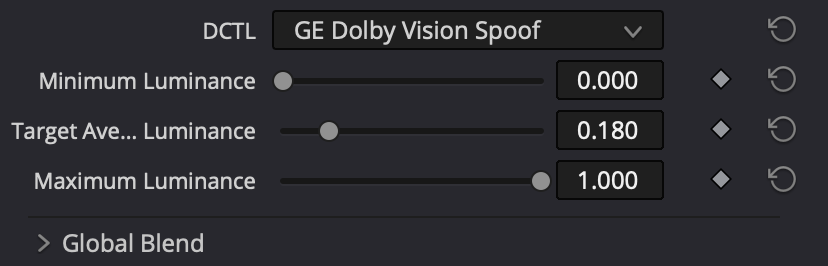
Here is a free dctl called the Dolby Vision Spoof and quite simply you get to tell Dolby Vision what Min, Max, and Average should be for your whole film. As a therocial DRT/CST Dolby vision in taking HDR to SDR should not change what it’s doing clip to clip shot to shot… it should be a consistent mapping.
Everyone should have access to good diagnostic tools which is why, I’ve made this one available for free. Just sign up for email to know when I update it. Or sign up to be a Happy Little Noder and get access to all my tools.
Get access to all the tools you see on YT and any updates that happen. One low annually fee. Just $47.34 - Will never be raised and gets you all the tools, all the updates
How to use on it’s own
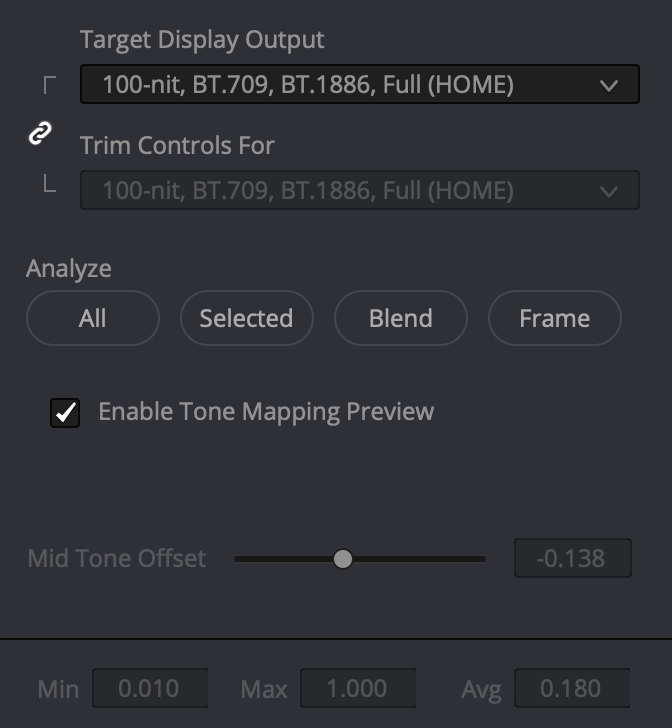
When your ready to generate your Dolby Vision Master, Set this as your final node, set your values, and then click analyze frame. Dolby vision will update it’s Min, Max, Average values to match your settings.