

The Tool Colorist Have Longed For
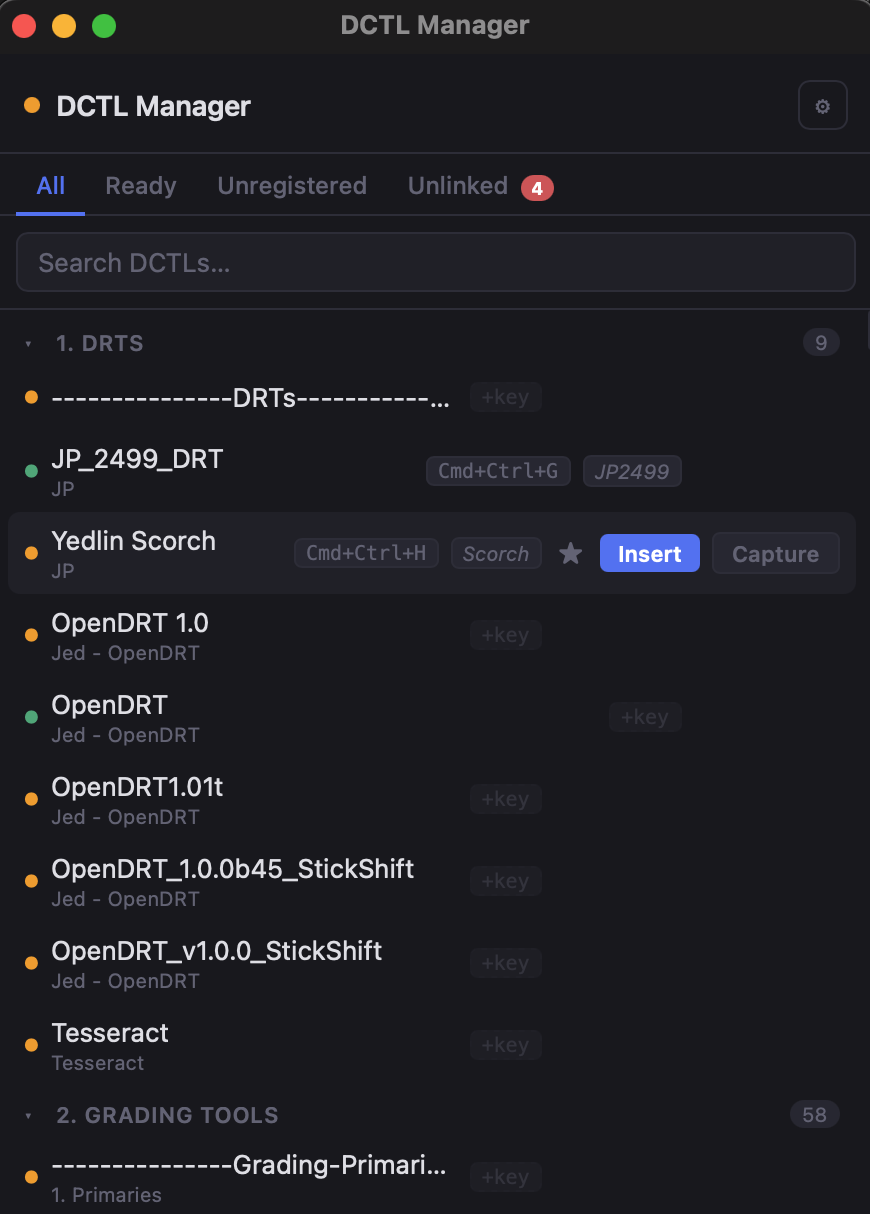
DCTL Manager
Take Control Of Your DCTLs
This is a little dohicky that works as a companion app that helps Resolve resolve issues with your DCTL’s…
Key Features
Insert a New DCTL via a Hotkey
Suppress the dreaded missing DCTL modal
Relink a missing DCTL
Currently in Development
Signing up will put you first in line when I start releasing the beta version.
Want the tool? I know you do. Consider donating to support development. This tool alone would normally cost well over $100. In fact it cost me about $4,000 to develop it!
Otherwise, submit your email below for download links!
Step 3: Add Your DCTL Folders
Tell the app where your DCTL files live:
Click the ⚙️ Settings icon
Under DCTL Folders, click Add Folder
Select folders with your .dctl files
Click Scan Folder
You can add multiple folders.
What You Need
Mac only (Apple Silicon or Intel, no Windows)
DaVinci Resolve installed and running
Pre-built Python environment (already included)
Accessibility permissions enabled for hotkeys and automation
Step 1: Enable Permissions
The app needs permission to control your Mac.
Go to System Settings → Privacy & Security → Accessibility
What you will see when you launchIcon in your Mac menu bar
Floating control panel (the palette)
Background connection to Resolve
Status indicator
🔴 Not connected
🟡 Connected (needs setup)
🟢 Ready
Step 4: Set Up the Spoof Folder
This creates one clean folder that Resolve reads from.
Why this matters
Keeps everything organized
Prevents missing file errors
Lets the app fix broken links automatically
Setup
Open Settings
Choose a location or use the default
Click Build / Refresh
Then in Resolve
Go to Preferences → System → General
Add this folder as a LUT or DCTL location
Restart Resolve